Every help text in your product, from tooltip to procedure. Write it once. Publish by key. Update without a release.
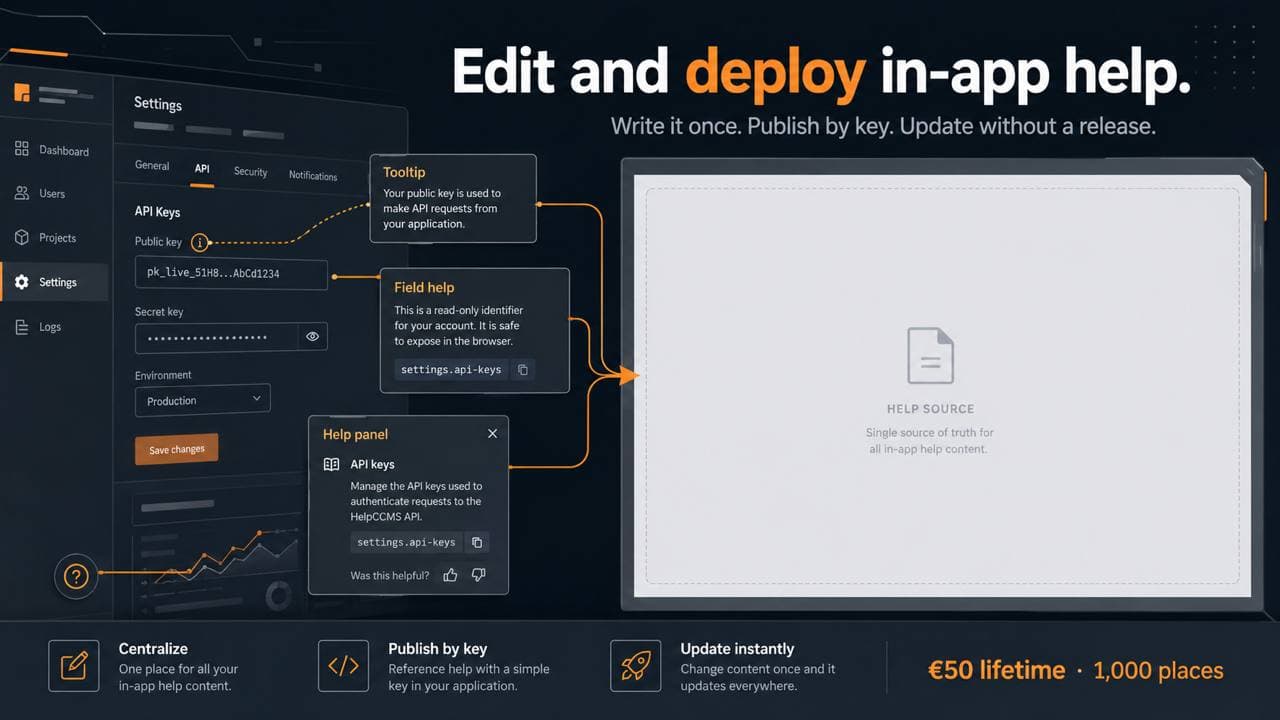
Type a tooltip. Publish it. Call it from your app.
The sentence you type below gets stored, published and served from the same endpoint your product would call. You get the URL, the code that reads it, and seven days to try it in your own build.
Everything here stays in your browser. Nothing is sent, stored or measured.
Now do it for real
The panels above are live, but they stay in your browser. Press the button and the same sentence gets saved, published and served from a real address you can call from your own development environment. No account needed.
Bring in what you already have. Turn it into topics, keep what matters, bin what doesn't.
Start here.
Up your help game.
Bring your help texts together, from the one-line tooltip to the full procedure. Your app fetches them by key, and a writer publishes without a release. You can publish and deliver your first five help keys in each collection without a subscription.
Create your accountArticles on in-app help, and what it costs to keep it in your codebase.
We store your address to send you this, and nothing else. Unsubscribe in one click.